
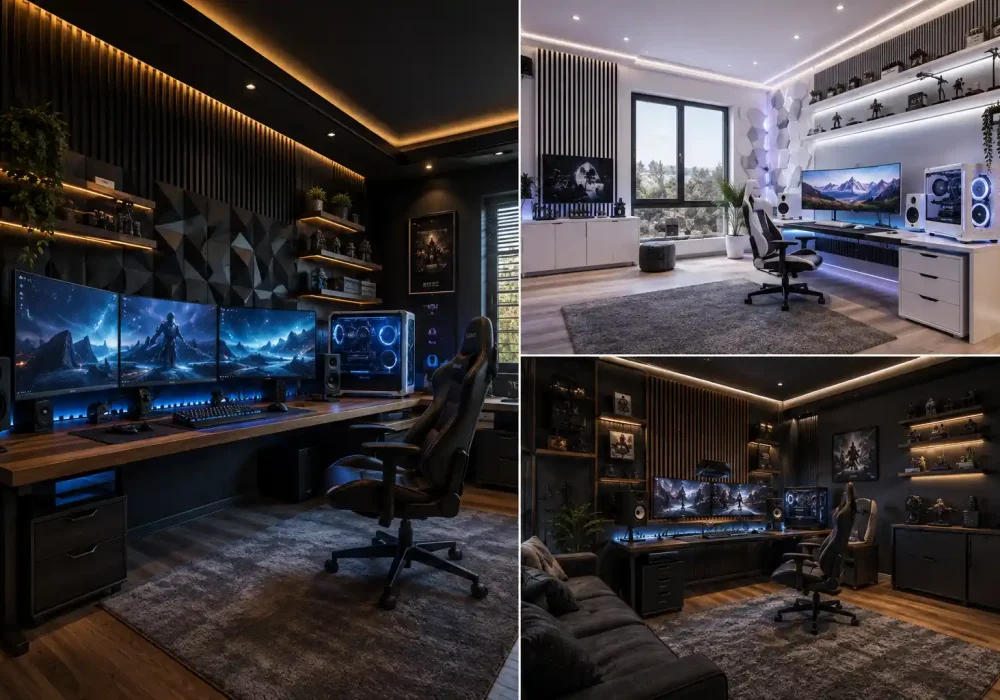
A great gaming room is more than a desk, monitor, and chair. The right design brings technology, comfort, lighting, and personal style together to create a space that feels exciting every time you walk in.
Modern setups are also becoming more refined. Clean furniture, immersive lighting, organized displays, powerful gaming stations, and thoughtful wall treatments can make even a practical gaming space look polished and intentional.
Whether you prefer a bright minimalist setup or a darker room built around atmospheric lighting, there are plenty of ways to give your gaming space its own identity. These ideas focus on rooms that balance serious gaming functionality with impressive interior design.
Inside the Most Striking Gaming Room Ideas
The following gaming room ideas explore different approaches to creating a modern setup, from streamlined multi monitor stations and dedicated racing spaces to sophisticated console lounges and immersive command centers. Each one offers a distinct combination of layout, lighting, furniture, technology, and visual character that can inspire a gaming room worth spending time in.
Also Read: 15 Farmhouse Living Room Ideas for a Warm, Refined Home
Also Read: 15 Baby Boy Nursery Ideas Shaping the New Look of Nurseries
1. Create a Black and White Gaming Room With Cool Blue Lighting
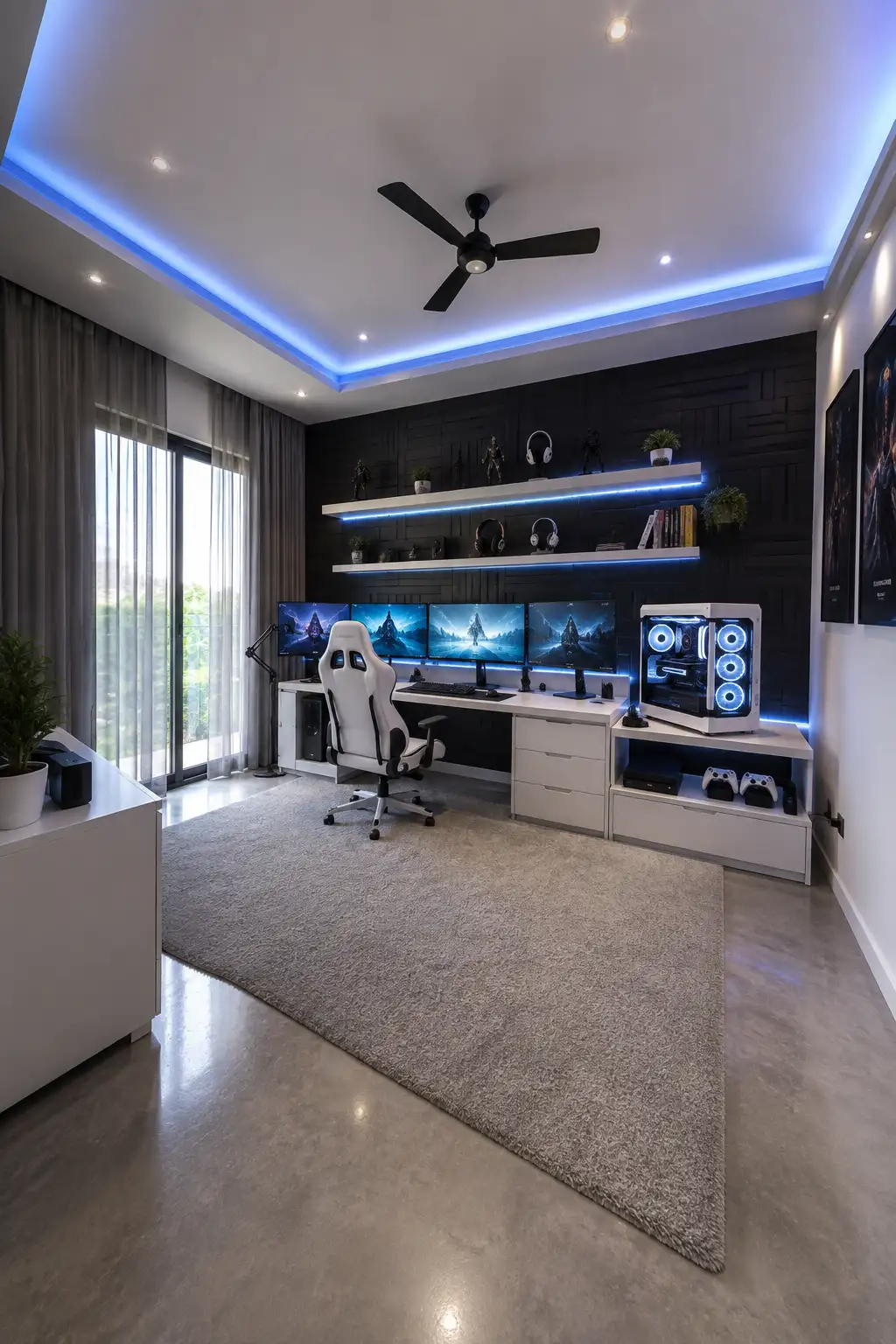
A black and white palette gives this gaming room a crisp, high end character without relying on excessive color. The deep black feature wall creates a dramatic backdrop, while the white desk, storage units, gaming chair, and PC case keep the setup feeling bright and balanced.
Blue ambient lighting brings the room to life without taking over the design. LED strips beneath the floating shelves and around the recessed ceiling create a soft glow that visually connects the entire space. The effect feels immersive at night while still looking sophisticated during the day.
The four monitor workstation makes excellent use of the long wall, while floating shelves provide room for headphones, collectibles, books, and small plants. A large neutral rug softens the polished flooring, and the floor to ceiling window prevents the darker elements from making the room feel enclosed.
Pro Tip: Use one consistent RGB color across the ceiling, shelving, and desk area. Repeating the same accent color creates a more polished gaming room than mixing several bright shades.
2. Warm Up a Dark Gaming Room With Walnut and Amber Light
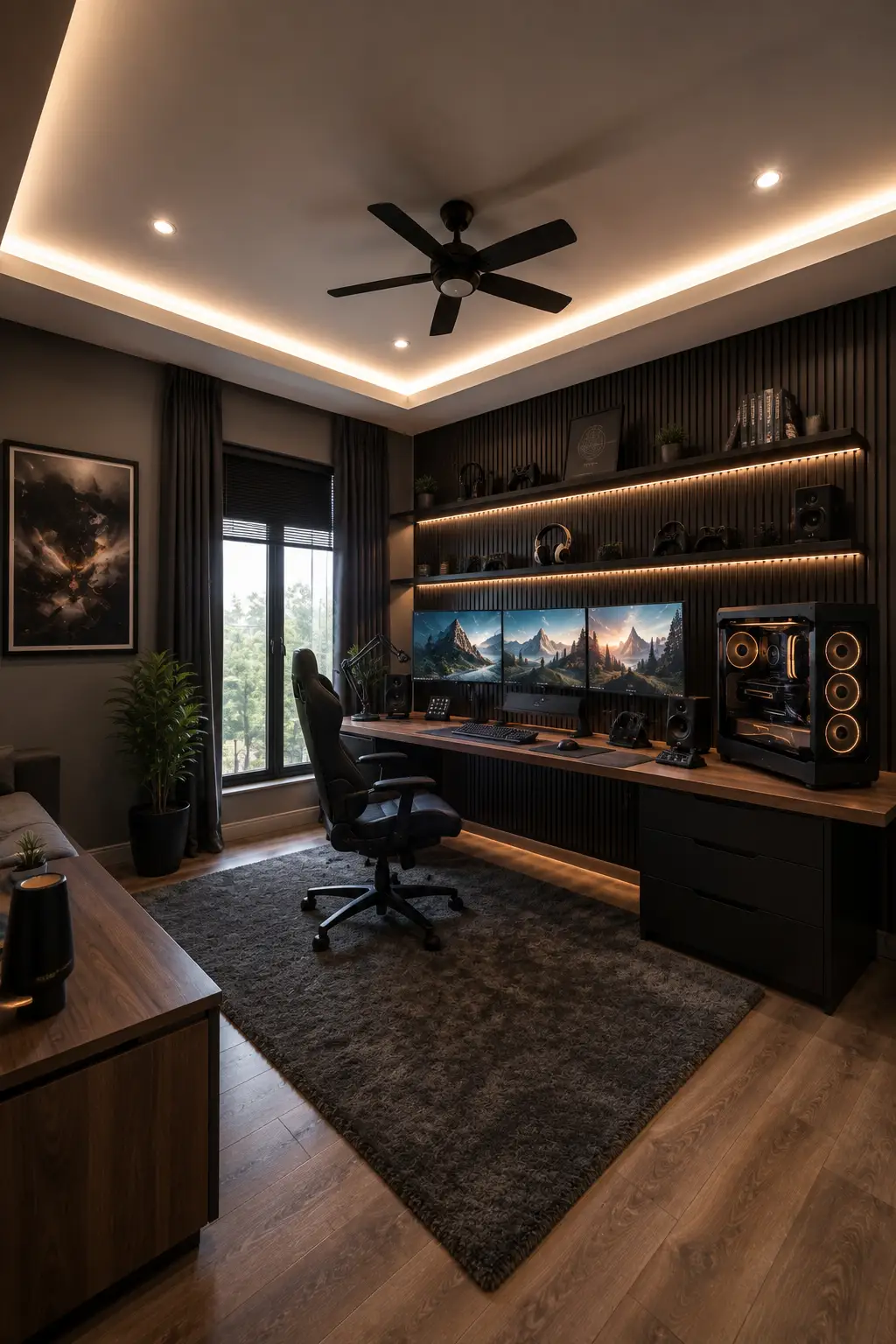
Dark finishes can make a gaming room feel remarkably refined when they are paired with warmer materials. Here, the black slatted feature wall creates depth behind the workstation, while the long walnut desktop and wood flooring introduce enough warmth to keep the space inviting rather than overly dark.
Warm ambient lighting is what gives this setup its distinctive character. Concealed ceiling lights, illuminated floating shelves, and a soft glow beneath the desk create several layers of light around the room. The amber lighting also complements the PC illumination without turning the setup into a brightly colored RGB space.
A triple monitor arrangement provides an immersive focal point, while the full width desk leaves plenty of room for speakers, controllers, a microphone, and other gaming equipment. Shelves above make practical use of the wall, and the large dark rug visually anchors the workstation while adding softness underfoot.
Pro Tip: Pair black walls and furniture with walnut or another warm wood finish. Adding warm white lighting around shelves and ceilings will bring out the wood tones and prevent a dark gaming room from feeling flat.
3. Turn a Racing Simulator Into the Centerpiece of the Room
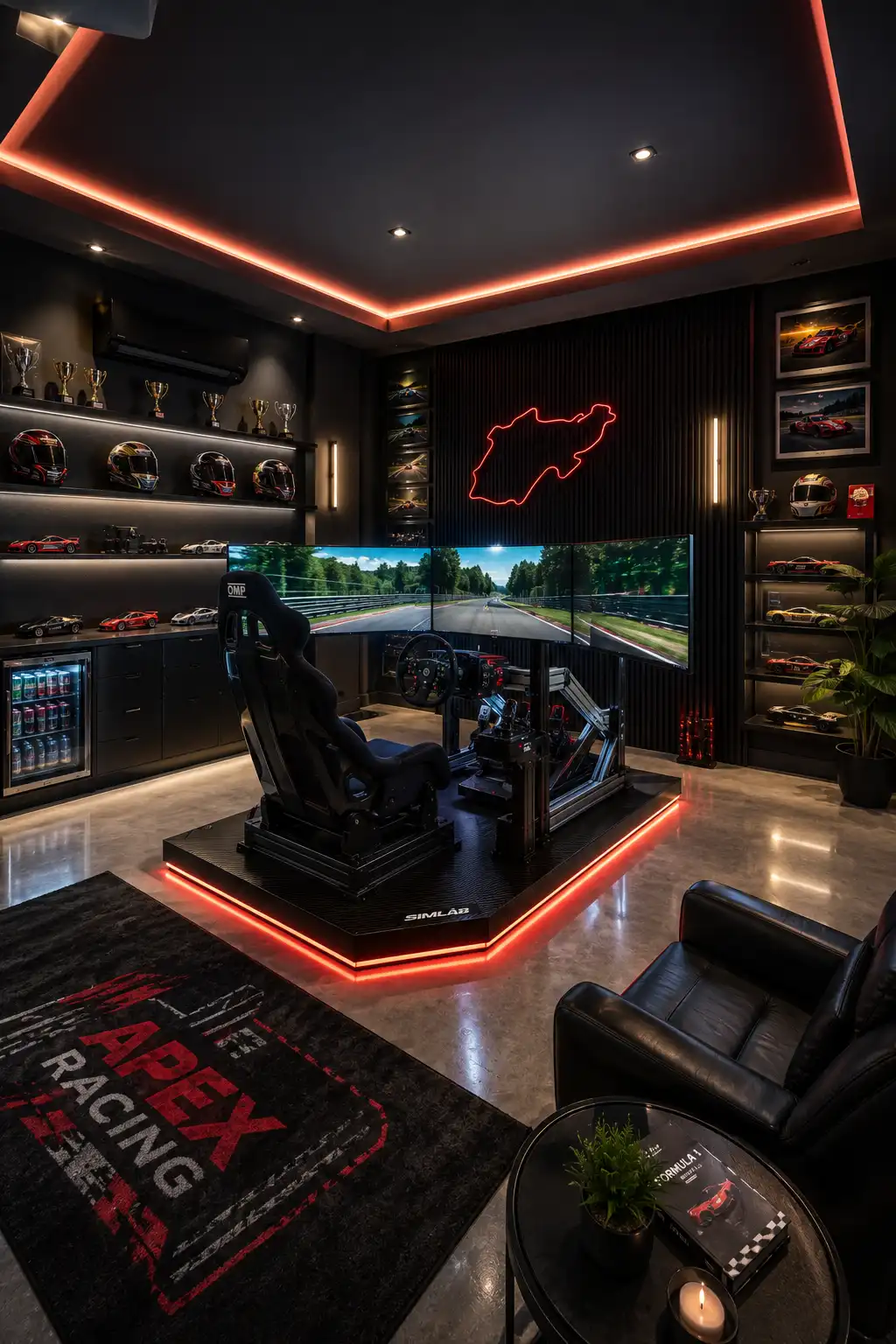
A dedicated racing simulator can become the defining feature of a gaming room rather than something pushed into a corner. Here, the cockpit takes center stage with a racing seat, steering wheel, pedals, and triple screens arranged to create a much more immersive driving experience.
The black interior gives the room a dramatic motorsport inspired character, while red accent lighting traces the ceiling and simulator platform. Illuminated shelving filled with helmets, trophies, and model cars extends the racing theme across the walls without distracting from the main setup.
A lounge chair and side table create a separate place to relax between sessions, while display cabinets and a compact beverage fridge make the room feel complete. Polished flooring reflects the lighting beautifully and helps the red details stand out against the predominantly dark palette.
Pro Tip: If you’re building around a racing simulator, give the cockpit enough open floor space to become the visual focal point. Use your wall displays and lighting to frame the simulator instead of competing with it.
4. Blend a Racing Simulator With a Refined Gaming Lounge
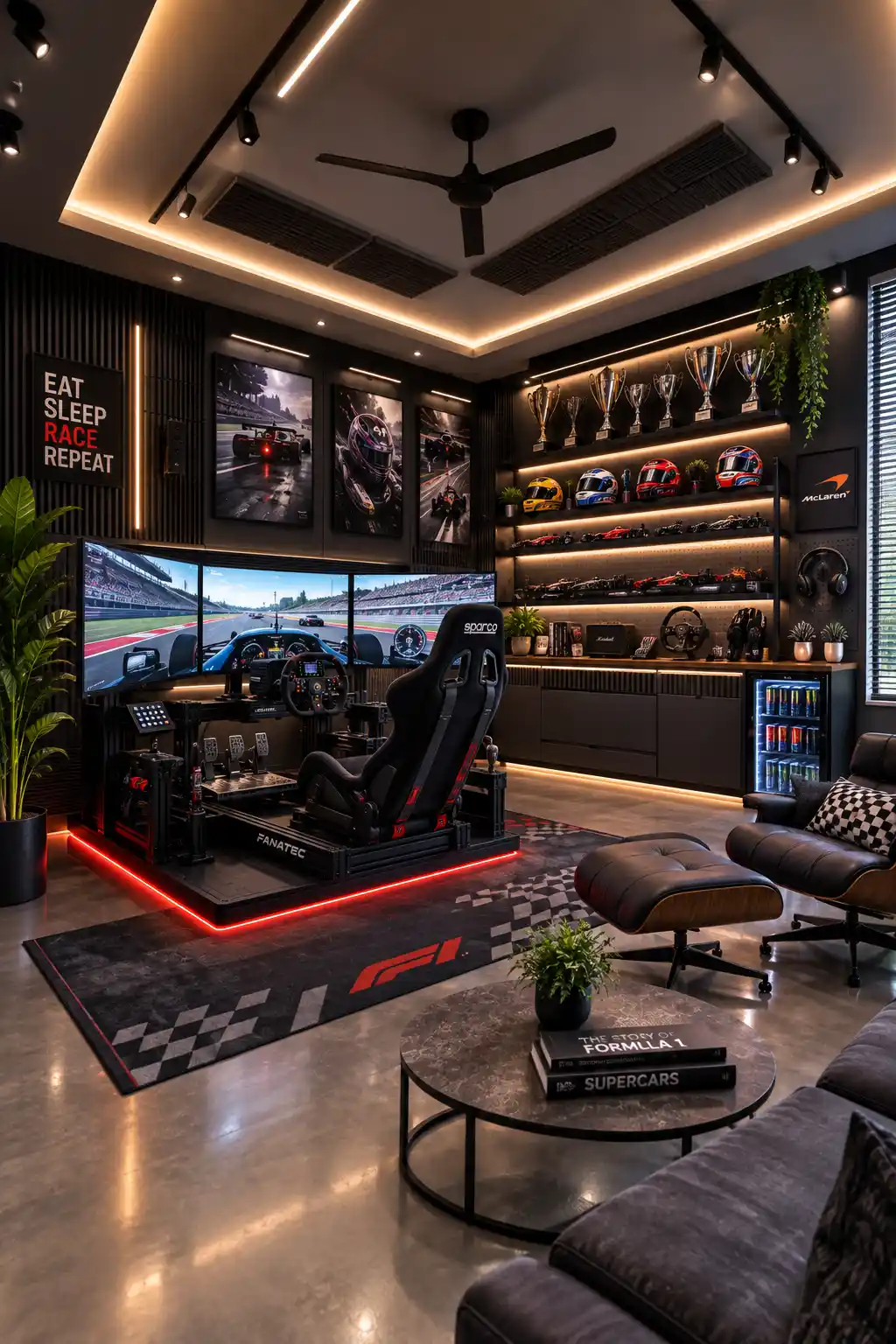
A racing setup doesn’t have to make the entire room feel like a dedicated simulator booth. This design gives the triple screen racing cockpit a prominent position while surrounding it with comfortable lounge furniture, polished flooring, and architectural lighting. The result feels more like a complete entertainment room built around a passion for racing.
The display wall adds another layer of personality without looking cluttered. Illuminated shelves organize racing helmets, trophies, model cars, and accessories into a carefully styled collection. Black vertical wall panels provide a sophisticated backdrop, while warm integrated lighting makes every displayed piece stand out.
A sofa, leather lounge chair, ottoman, and round coffee table create a comfortable second zone away from the simulator. Warm ceiling lighting balances the red glow beneath the racing platform, while plants soften the darker finishes and bring a little natural contrast into the room.
Pro Tip: Divide a larger gaming room into dedicated play and relaxation zones. Keeping the simulator on one side and comfortable seating nearby makes the space more versatile without weakening its gaming identity.
5. Brighten the Gaming Setup With an All White Palette
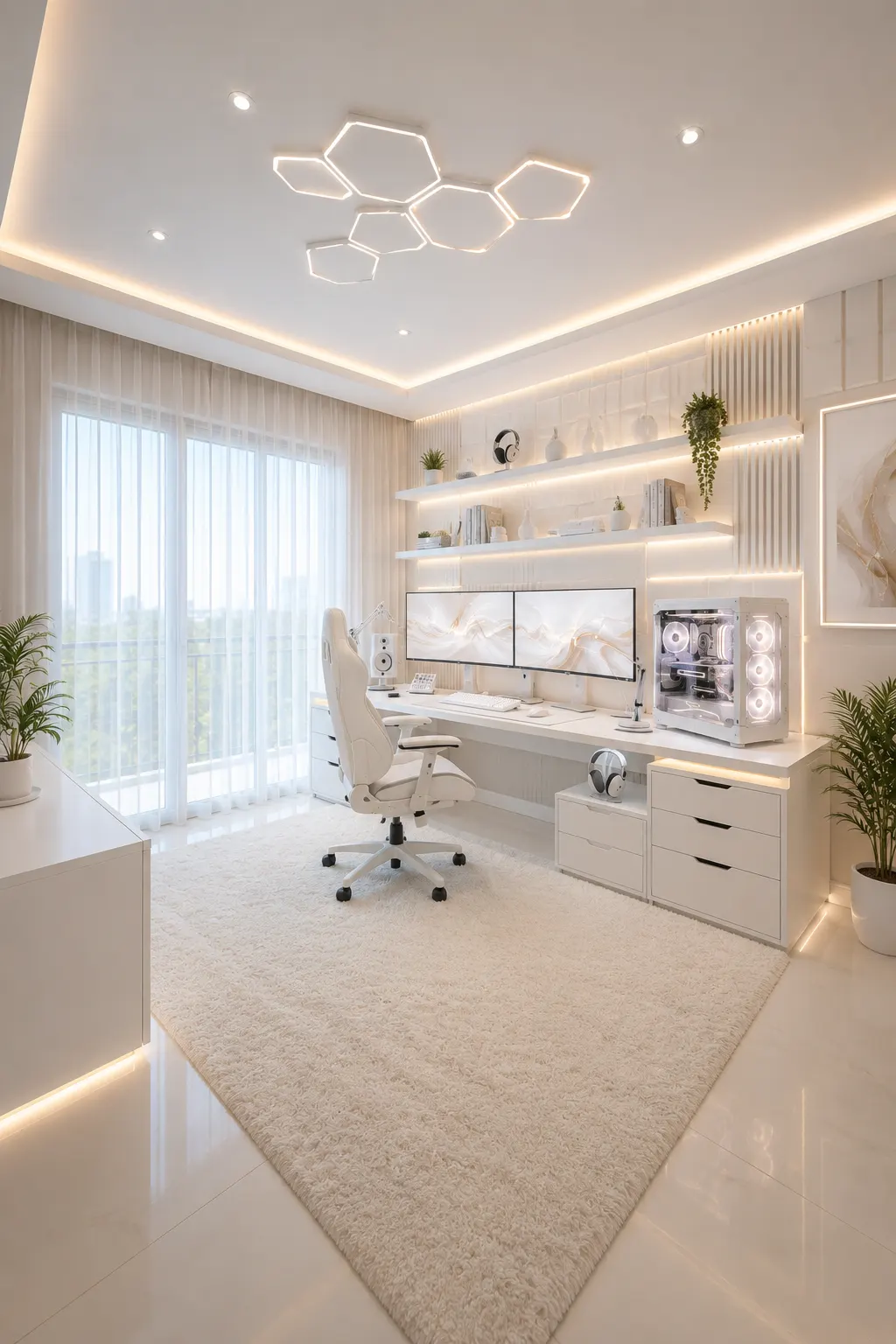
An all white palette gives this gaming room a bright, polished appearance that feels completely different from the usual dark setups. White cabinetry, a matching desk, and a light gaming chair create a seamless foundation, while the dual monitor station keeps the technology at the heart of the room.
Layered lighting prevents the pale interior from feeling plain or washed out. Warm illumination beneath the floating shelves, around the ceiling, and along the wall details adds depth, while geometric ceiling lights introduce a subtle futuristic element. Natural daylight through the sheer curtains makes the entire space feel even more open.
Storage is integrated neatly around the workstation, giving accessories and everyday equipment dedicated places without creating visual clutter. Plants and minimal shelf décor introduce small touches of color, while the large textured rug softens the glossy flooring and makes the setup feel comfortable as well as refined.
Pro Tip: When designing an all white gaming room, combine several textures instead of relying on color for contrast. Upholstery, wall panels, rugs, glass, and subtle lighting will give the space more depth while preserving the clean monochromatic look.
6. Turn a Gaming Collection Into a Luxury Display Wall
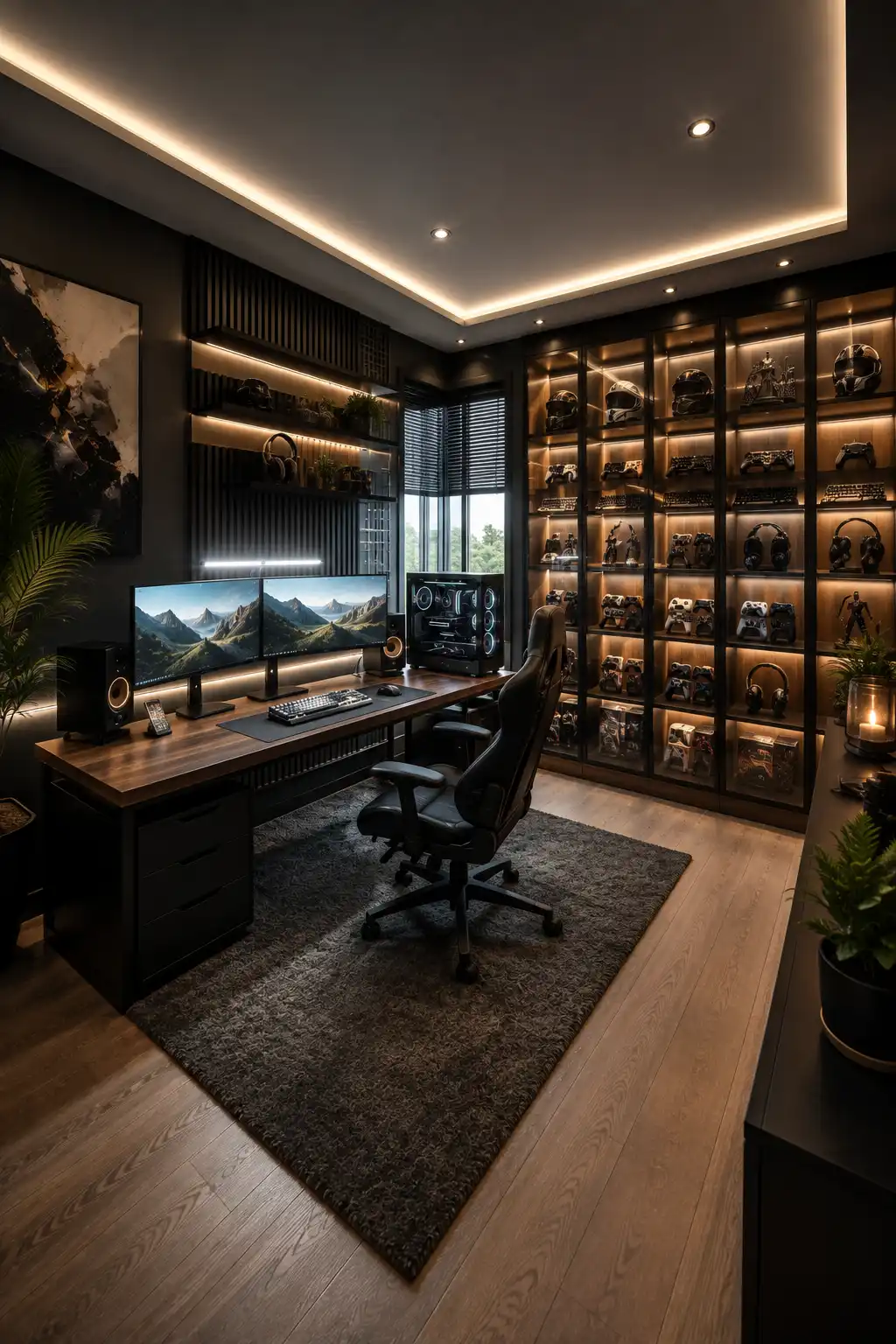
A dedicated display wall can give a gaming room far more personality while keeping the main setup clean and organized. Here, floor to ceiling shelving turns controllers, keyboards, headsets, figures, and collectibles into part of the interior design rather than leaving them scattered around the desk.
Warm integrated lighting inside each display section creates a gallery like effect against the dark cabinetry. The walnut desktop and wood flooring soften the black finishes, while subtle ceiling lighting continues the warm atmosphere throughout the room without introducing distracting RGB colors.
The dual monitor workstation remains simple, leaving the illuminated collection wall to provide most of the visual impact. A glass sided PC, ergonomic chair, compact speakers, textured rug, plants, and abstract artwork complete the space while maintaining its sophisticated character.
Pro Tip: Group similar collectibles together and give each category its own section. Consistent spacing and integrated shelf lighting will make even a large gaming collection feel curated rather than cluttered.
Also Read: 12 Window Trim Ideas Worth Considering for Your Next Update
Also Read: 14 Kitchen Wall Art Ideas to Give Blank Walls New Life
7. Pair a Walnut Gaming Wall With a Relaxed Lounge Corner
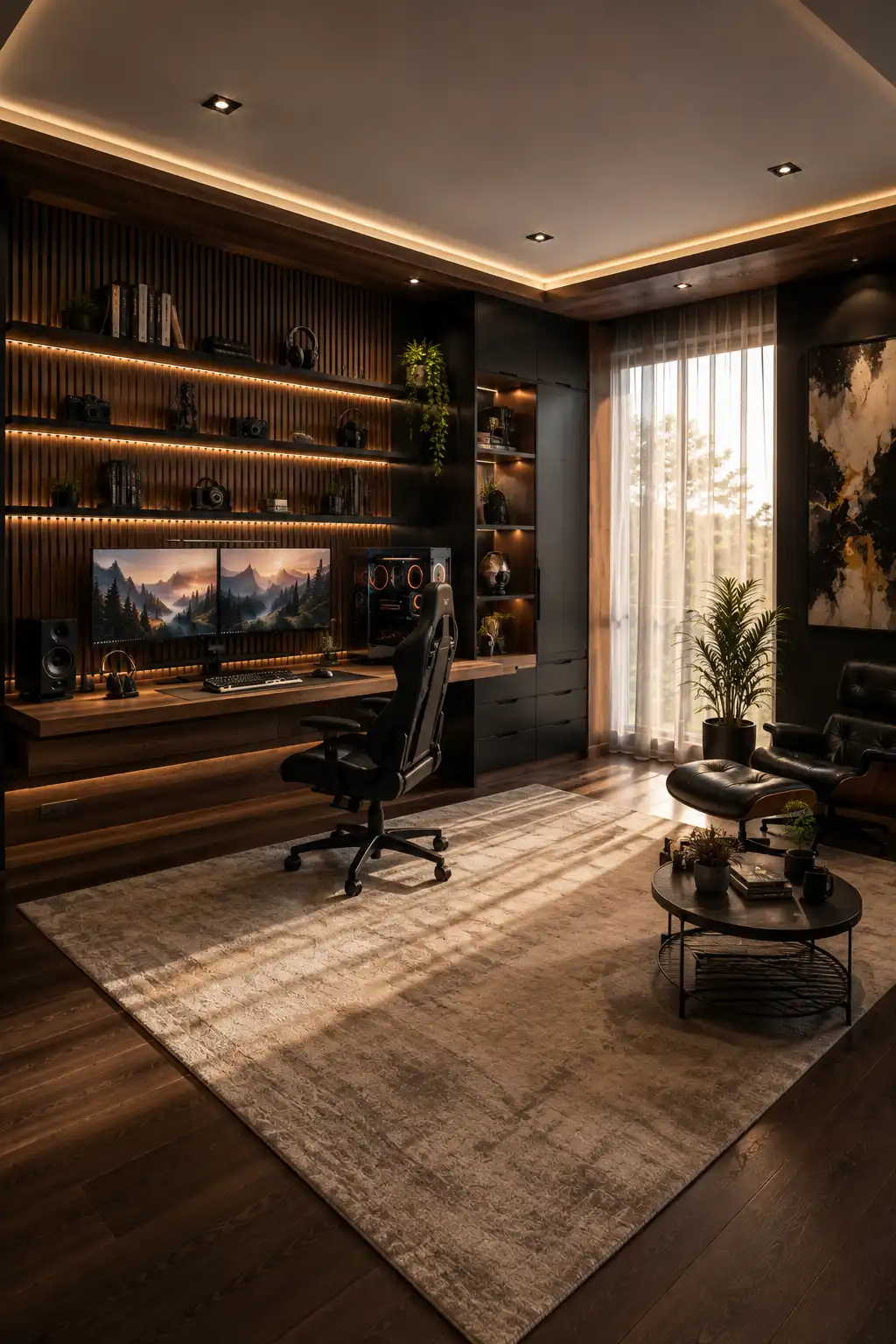
Warm walnut finishes can make a gaming room feel sophisticated without losing its performance focused character. The full width slatted wall gives the workstation architectural depth, while the integrated desk and dark cabinetry create a streamlined setup that feels intentionally built into the room.
Soft amber lighting beneath the shelves highlights cameras, headphones, books, plants, and accessories without overwhelming the dual monitor station below. Natural light from the large window adds another layer of warmth, helping the dark furniture and black accents feel inviting rather than heavy.
The lounge corner makes this room especially practical. A leather chair, ottoman, coffee table, and large neutral rug create a comfortable place away from the screens, while the gaming desk remains clearly defined as its own zone. This balance gives the room the character of a refined private retreat.
Pro Tip: Carry the same wood finish across the desk, feature wall, and surrounding cabinetry. Repeating one material creates visual continuity and helps a gaming setup feel like part of the architecture rather than furniture added afterward.
8. Create an Immersive Gaming Room With Layered Neon Lighting
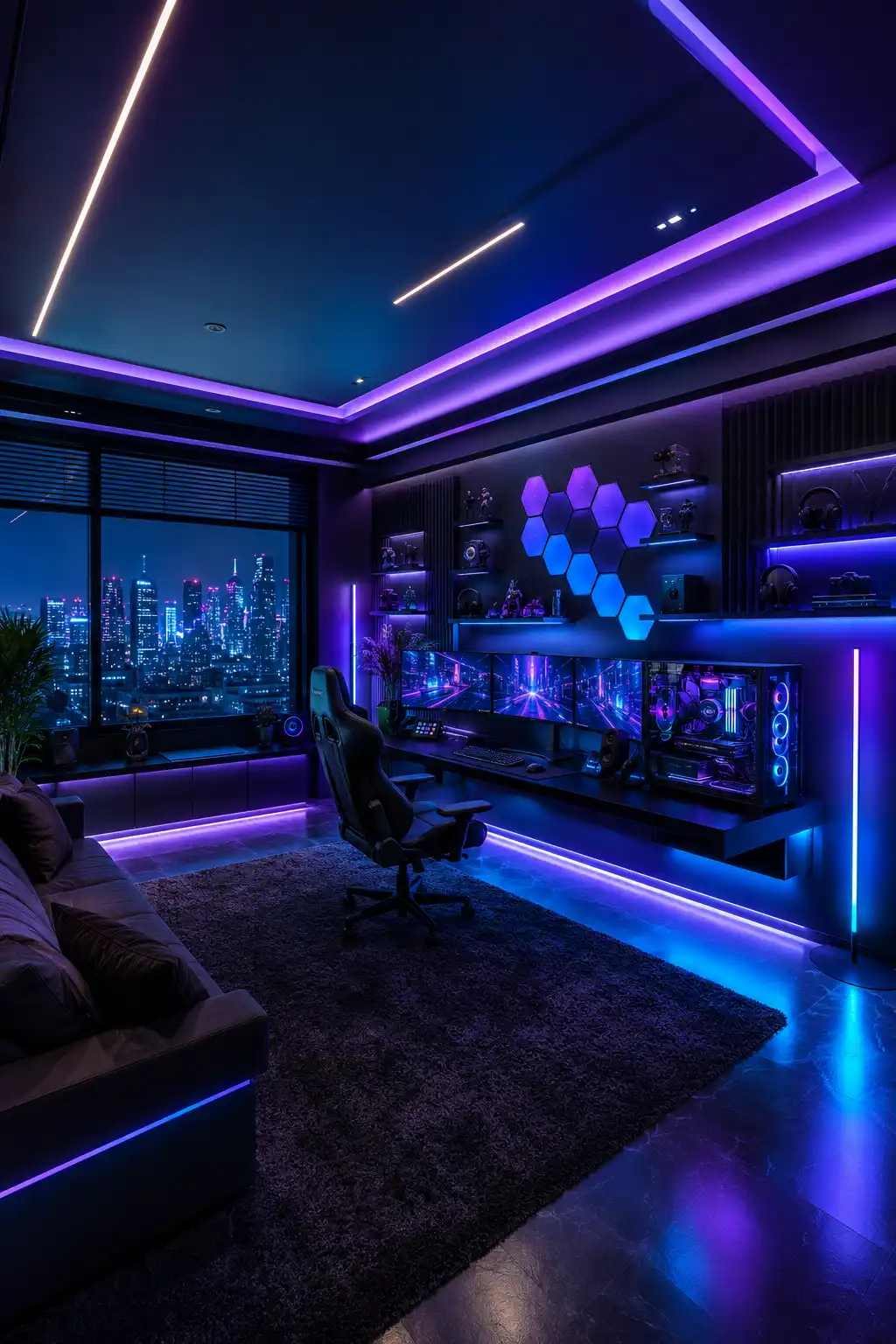
Layered blue and purple lighting gives this gaming room an immersive atmosphere that feels especially striking after dark. Instead of limiting LEDs to the desk, the lighting continues across the ceiling, floor, shelving, and wall features, making the entire room feel connected to the gaming setup.
The triple monitor station sits along a floating black desk with a glass sided PC becoming another illuminated focal point. Geometric wall lights add visual interest above the screens, while floating shelves provide organized spaces for headphones, collectibles, speakers, and other gaming accessories.
A large window overlooking the city strengthens the futuristic mood, while the sofa and oversized rug make the room comfortable beyond the desk. Dark finishes help the colorful lighting stand out, yet the spacious layout prevents the room from feeling crowded or overly intense.
Pro Tip: Build RGB lighting in layers instead of relying on one bright LED strip. Combining ceiling, desk, wall, and floor lighting at lower brightness creates a deeper and more polished atmosphere.
9. Make an Ultrawide Screen the Focus of a Refined Setup
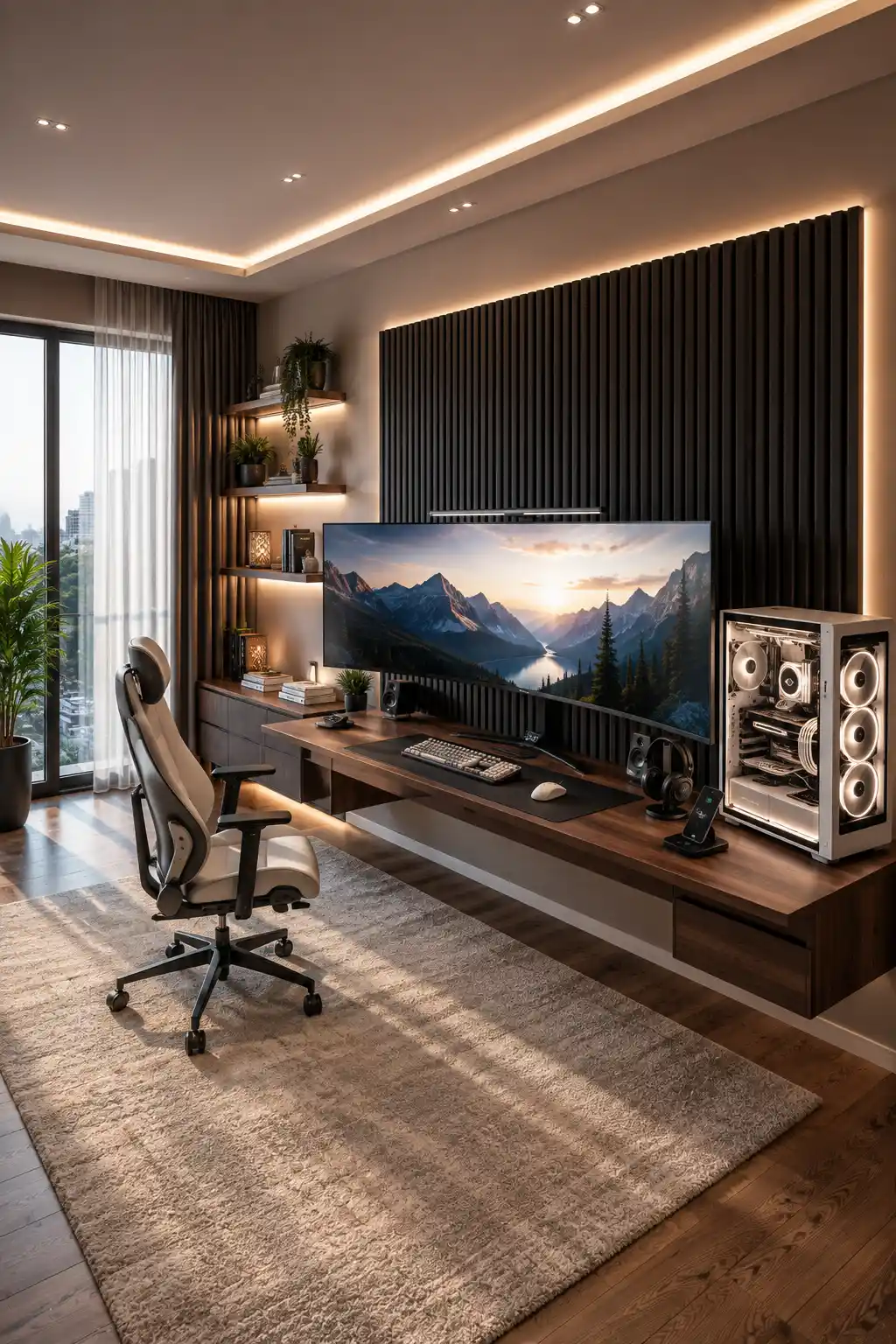
A large ultrawide monitor creates an impressive focal point without requiring several screens across the desk. Set against a tall black slatted feature wall, the display feels integrated into the room, while the long walnut desk provides plenty of surface space for gaming equipment and everyday essentials.
Warm indirect lighting keeps the setup sophisticated and comfortable. Light around the feature wall and ceiling emphasizes the architectural details, while natural daylight from the floor to ceiling window prevents the darker accents from feeling too heavy. The combination creates a room that works just as well during the day as it does at night.
Floating shelves, plants, books, and closed cabinetry add practical storage without competing with the main setup. A glass sided PC brings a subtle illuminated detail to the desk, while the light ergonomic chair and oversized neutral rug soften the darker wood and black finishes throughout the room.
Pro Tip: When using one oversized ultrawide monitor, keep the surrounding wall relatively simple. A textured feature panel and restrained lighting can frame the screen beautifully without adding unnecessary visual clutter.
10. Design a Console Gaming Lounge That Feels Grown Up
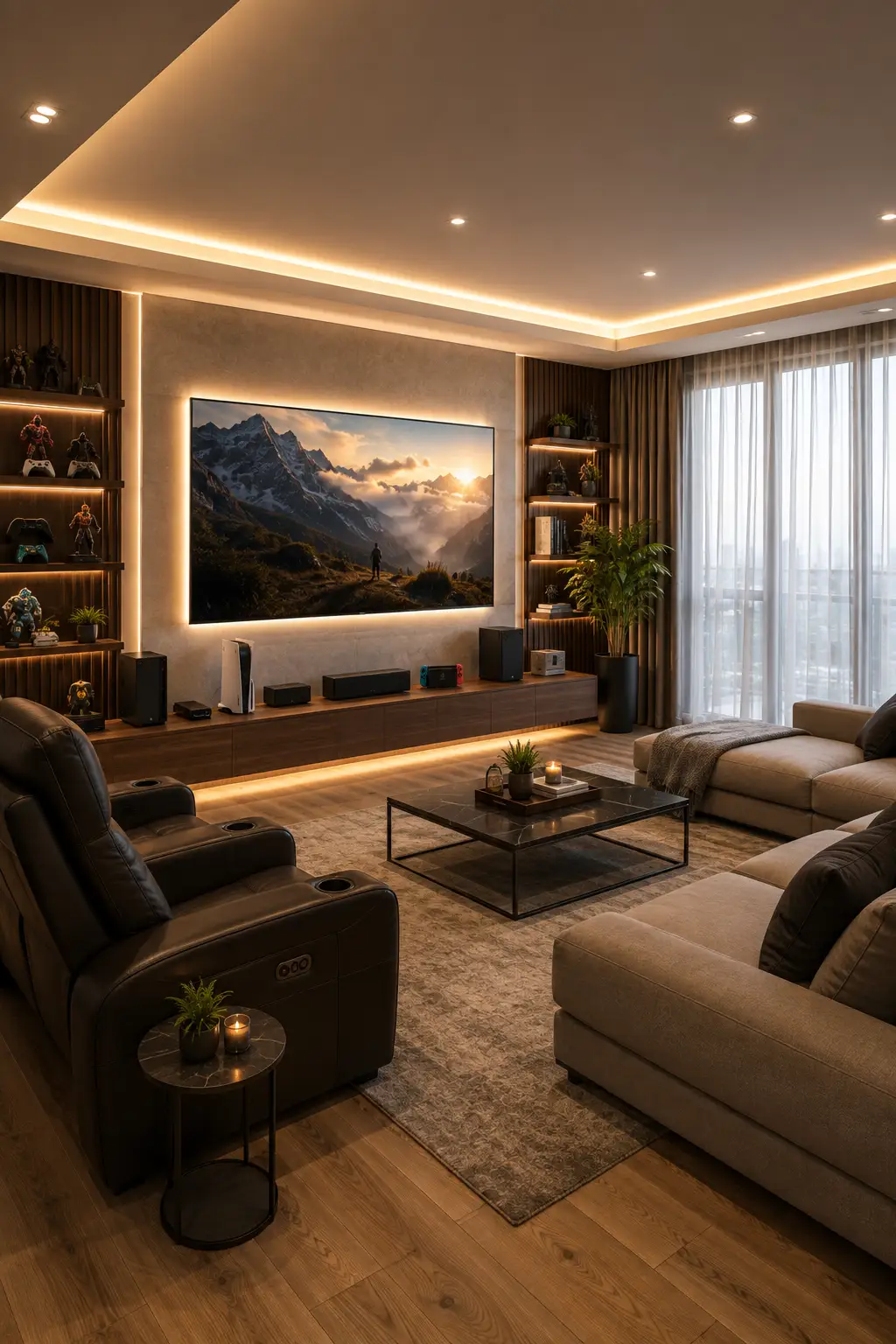
A console gaming room can feel just as polished as a high end PC setup when comfort becomes part of the design. Here, the oversized wall mounted screen creates a cinematic focal point, while the long floating media console keeps the consoles, speakers, and gaming accessories organized without crowding the room.
Warm backlighting around the screen and shelving gives the entertainment wall extra depth. Walnut finishes, dark vertical panels, and soft architectural lighting bring a sophisticated character to the space, while display shelves provide dedicated spots for controllers, figures, books, and collectibles.
Comfortable sofas and reclining chairs turn the room into a proper gaming lounge where several people can play or watch together. A large rug and central coffee table define the seating zone, while floor to ceiling windows bring in enough daylight to balance the warmer, darker finishes.
Pro Tip: For a console focused gaming room, plan the seating distance around the screen before choosing furniture. A clear viewing angle from every seat will make the room more comfortable while keeping the layout balanced.
11. Build a High End Gaming Wall With Integrated Lighting
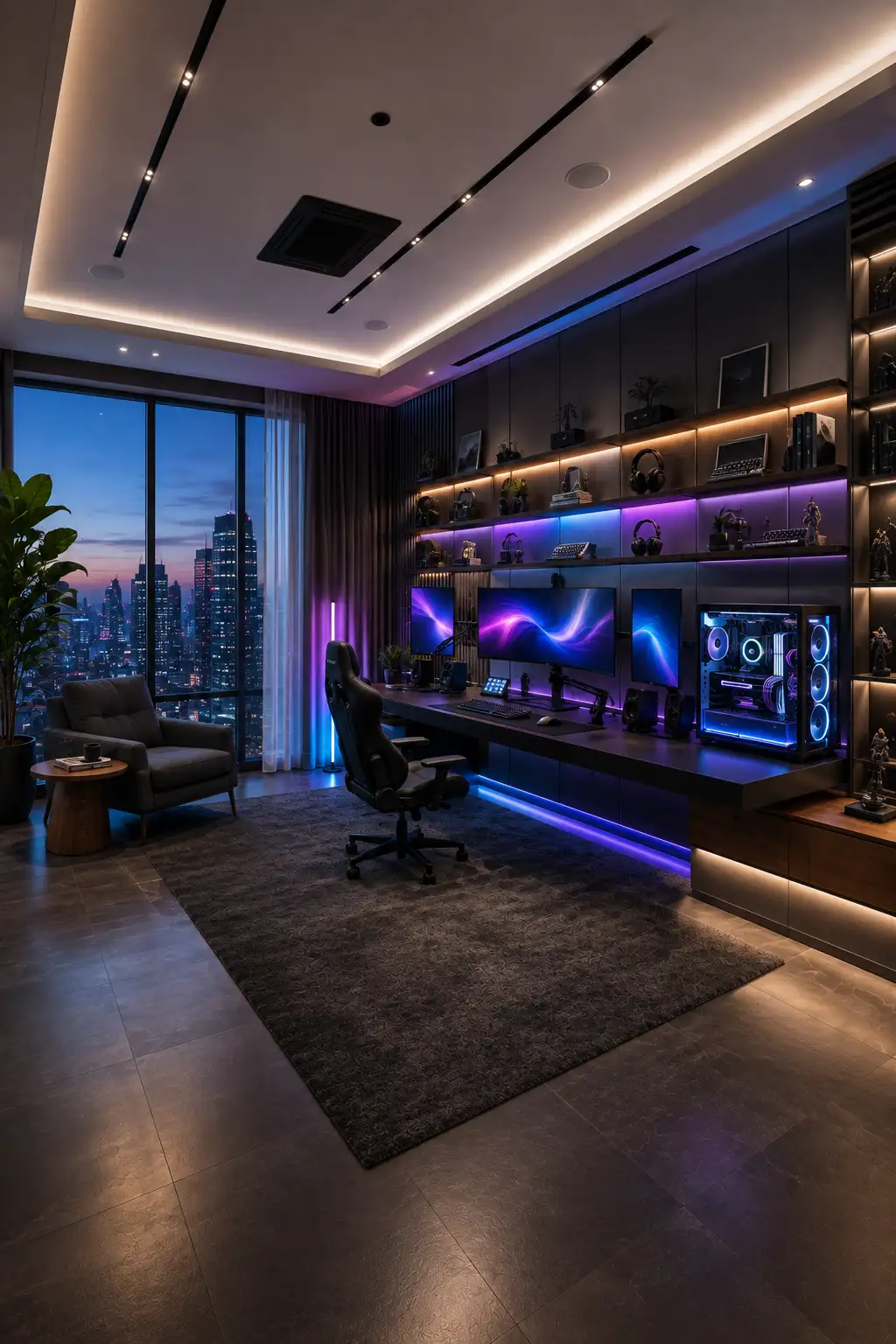
A full wall gaming setup can make the room feel custom designed rather than simply furnished around a desk. Here, dark built in cabinetry stretches across the wall, framing the workstation while providing generous storage and display space for gaming gear, collectibles, books, and accessories.
Blue and purple lighting gives the central gaming zone a more immersive character, while warm shelf lighting adds contrast around the upper displays. The combination keeps the dark interior visually layered, and the illuminated PC becomes part of the room’s overall lighting scheme instead of feeling like a separate element.
Multiple screens create a powerful workstation, while the long floating desk keeps the floor area open and uncluttered. A lounge chair near the window introduces a quieter corner, and the large rug helps define the gaming zone against the dark flooring and expansive city view.
Pro Tip: Mix cool RGB lighting around the gaming station with warmer light on shelves and cabinetry. The contrast creates depth and makes a dark gaming room feel more refined than using one color across every surface.
12. Frame a Streaming Setup Around a Dramatic City View
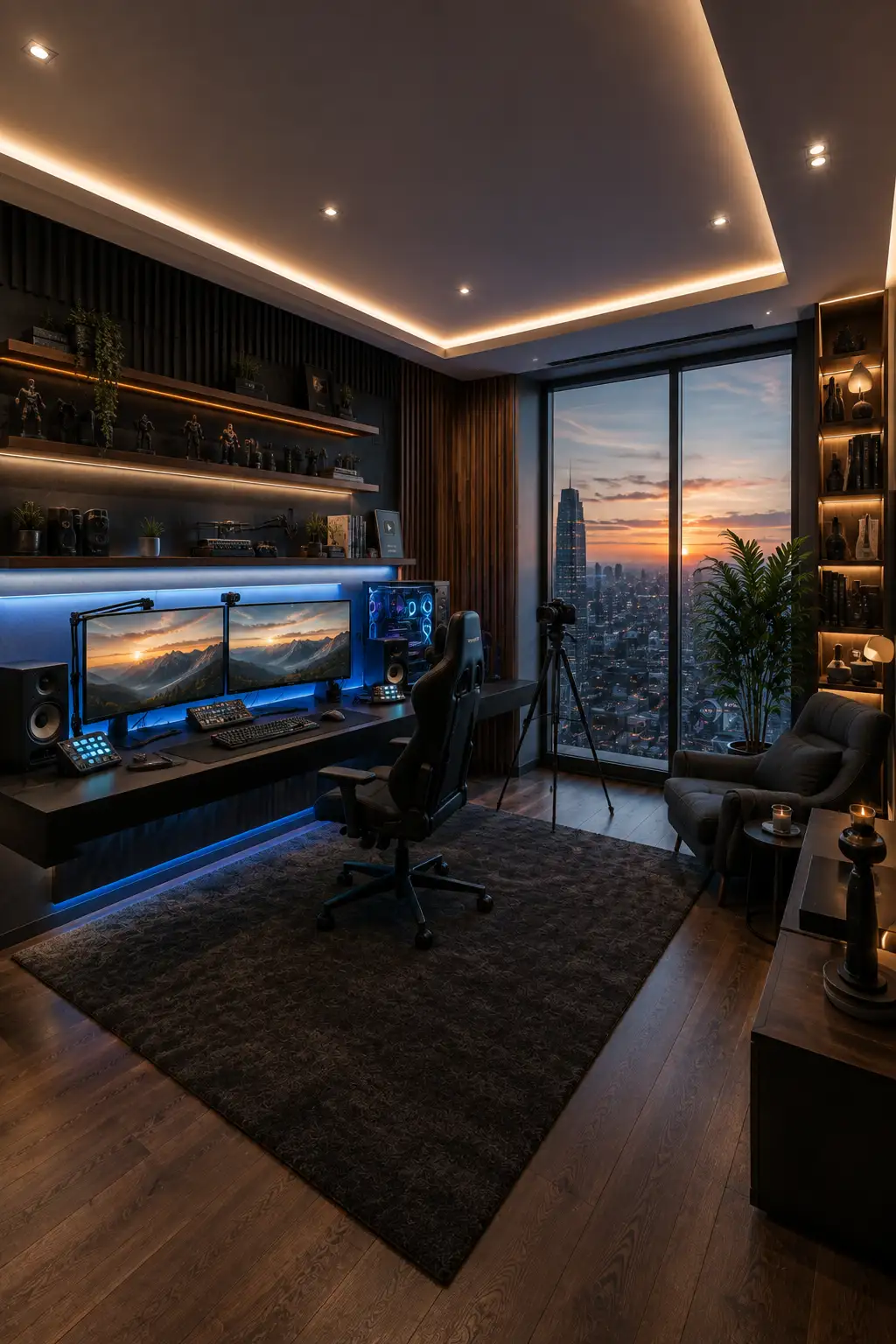
A floor to ceiling city view gives this gaming room a striking backdrop while making the setup feel more open and sophisticated. The dark workstation sits naturally beside the window, allowing the skyline to become part of the room’s visual character instead of covering the wall with additional décor.
The dual monitor desk is equipped for both gaming and content creation, with speakers, control pads, a microphone arm, and a camera setup nearby. Cool blue lighting beneath the desk and monitors defines the workstation, while warm illumination across the ceiling and display shelves keeps the darker palette from feeling cold.
A compact lounge chair creates a comfortable place away from the screens, while illuminated shelving provides room for collectibles, books, plants, and gaming accessories. Dark wood flooring and a large textured rug pull the different zones together, giving the room a polished studio like finish.
Pro Tip: If your gaming room has a great window view, keep tall furniture away from the glass. Position the workstation alongside it so you can enjoy the outlook while preserving natural light and a more spacious feel.
13. Build an Ultimate Gaming Command Center With Multiple Screens
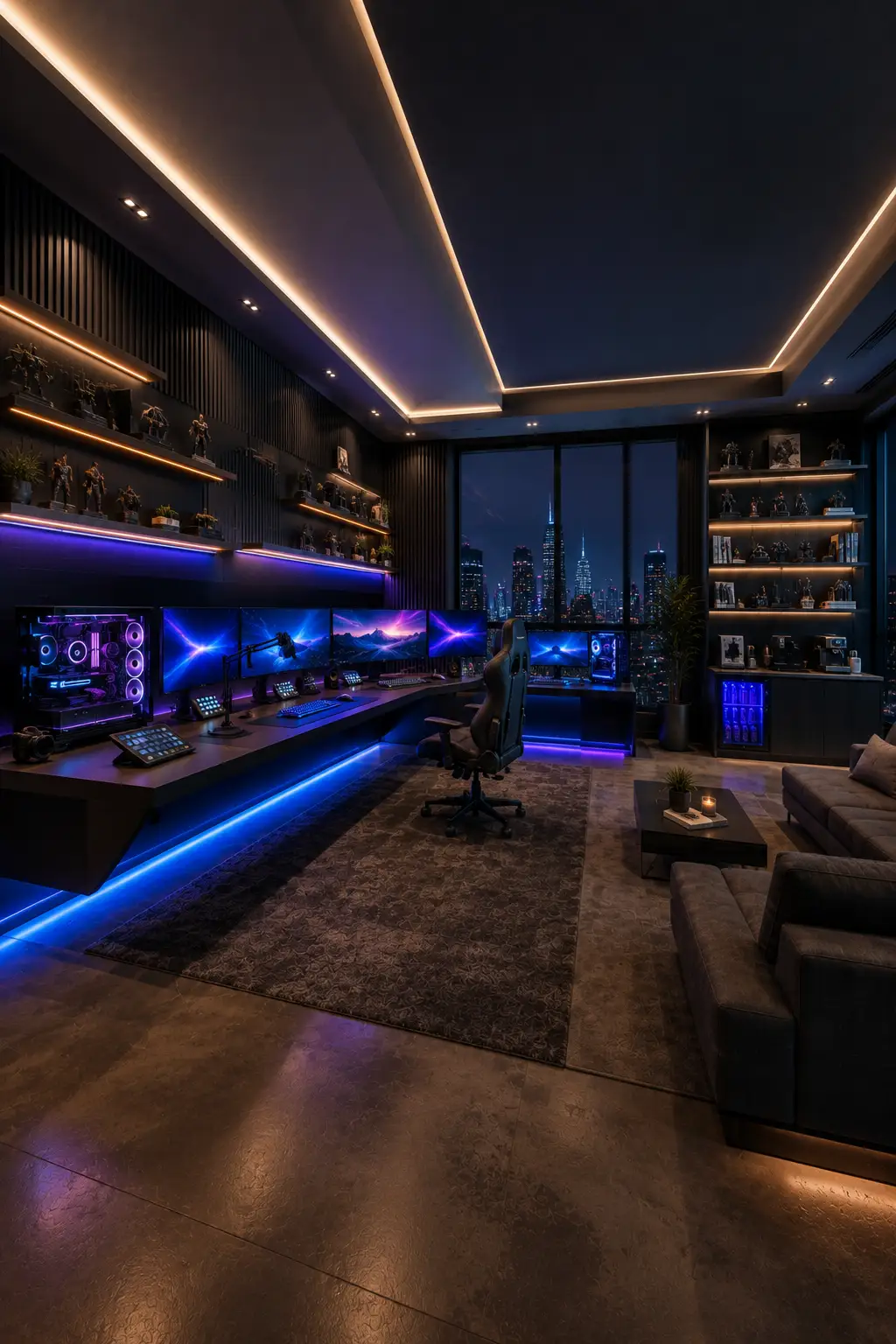
A large gaming room opens the door to a more ambitious workstation, and this setup makes full use of the available space. The extended desk wraps across the room with multiple monitors, illuminated PCs, streaming controls, microphones, and accessories arranged into one impressive command center.
Blue and violet lighting defines the gaming zone, while warm shelf and ceiling lights keep the room from becoming dominated by RGB. Dark slatted walls provide a dramatic backdrop for collectibles and display pieces, and the nighttime skyline adds another layer of atmosphere without competing with the screens.
The room also leaves space for comfort away from the workstation. Lounge seating, a coffee table, large rug, display shelving, and integrated storage turn the setup into a complete entertainment space rather than an oversized computer desk. Everything has its own zone while maintaining one cohesive visual identity.
Pro Tip: For a multi screen command center, plan cable management and power access before installing the desk. Concealed channels and dedicated connections will keep even a hardware heavy setup looking clean and intentional.
Creating a Gaming Room That Looks as Good as It Performs
The strongest gaming rooms balance technology with thoughtful interior design. A powerful PC or impressive screen setup may be the centerpiece, but lighting, storage, comfortable seating, wall treatments, and consistent materials are what make the entire room feel finished. Even simple choices such as repeating one wood tone or keeping RGB colors controlled can make a noticeable difference.
You also don’t need to follow one particular gaming aesthetic. A bright white setup can feel just as immersive as a dark command center, while racing rooms, console lounges, streaming spaces, and collector displays each offer their own character. Start with the way you actually use the room, then build the furniture, lighting, storage, and decorative details around that purpose.
